
Terminal & sessions
What it is
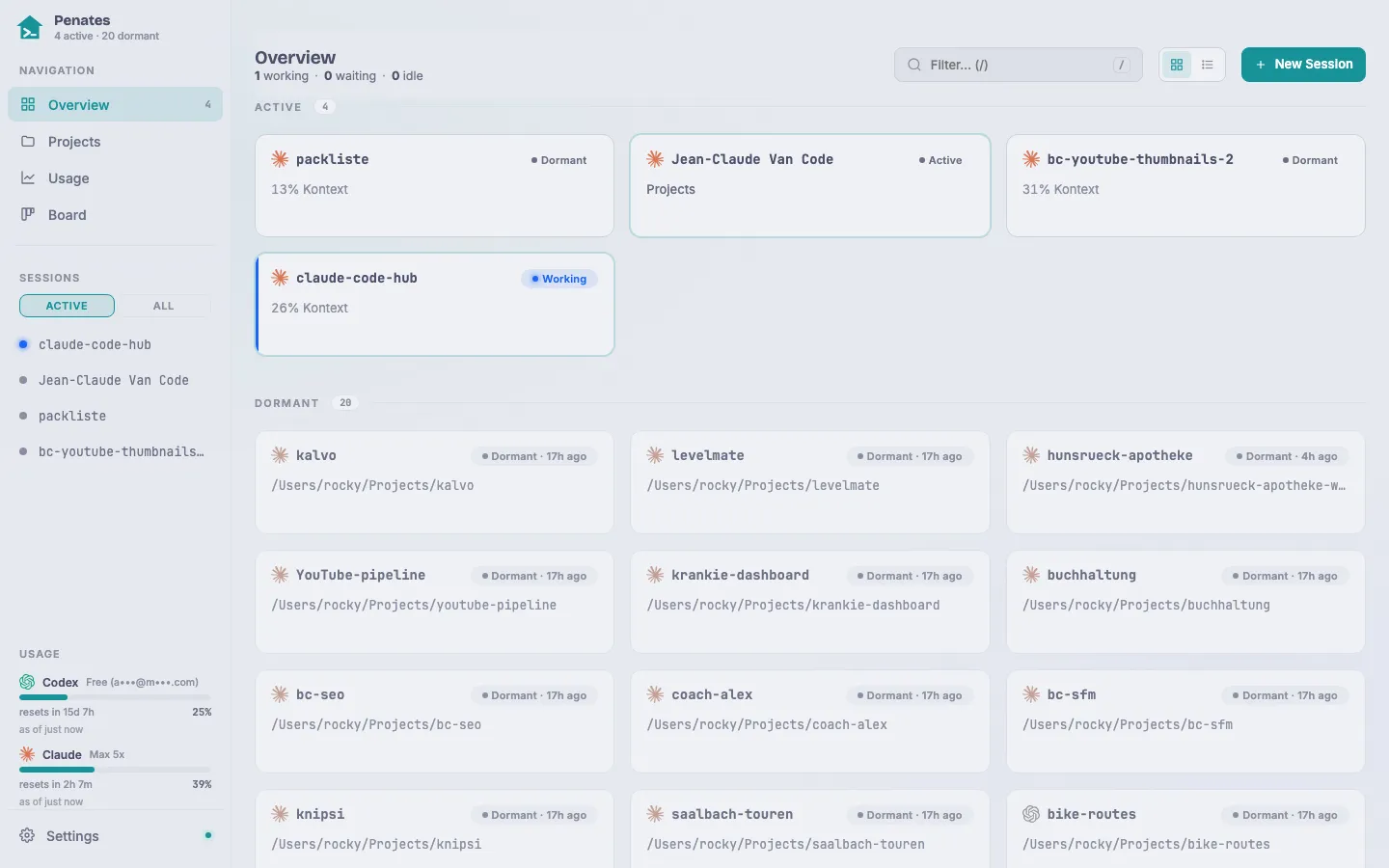
A session is a tmux session (prefixed cc-) that runs one coding CLI (Claude Code, Codex, Antigravity, or opencode) in a project directory. tmux is the source of truth: the hub keeps no session state of its own, so sessions survive a hub restart and can be adopted even when started outside Penates (e.g. over SSH or via Moshi).
Why / when to use it
The dashboard is the single place to see and steer every running agent: live activity (working · waiting · idle), context-token use, and the account 5h-limit per card, plus a CLI badge so you know which agent is which. You drive each one from a full browser terminal (colors, copy/paste, scrollback) from your Mac or your phone.
How to use it
- Create: click New session, pick a CLI and an approval/sandbox variant, choose a directory, and start. Names are auto-prefixed
cc-. - Attach: open any card to drop into its terminal over a resilient WebSocket (auto-reconnect with backoff; scrollback replay on fresh connect).
- Multi-CLI: the picker offers Claude Code, Codex (
--sandboxvariants), Antigravity (agy), and opencode, each with its own login. - Rename / adopt / pin / mute: rename keeps the hook state attached; adopt registers a foreign session under its original name; pin sorts it to the top; mute silences its notifications.
- Auto-restore: after a reboot the hub re-spawns the last running
cc-sessions in their original directory, continuing the CLI conversation (claude --continue,codex resume --last,agy --continue). Opt out per session by stopping it deliberately. - Copy/paste on the iOS PWA: the installed iPhone/iPad app has no hardware Cmd+C/V, and tmux mouse-mode blocks normal text selection, so the terminal touch-bar adds two dedicated keys. Paste reads the clipboard on tap (iOS shows its own paste prompt) and sends it with bracketed-paste. Copy starts on long-press-then-drag to select text (a normal swipe still scrolls); release the drag and tap Copy to copy the selection.
Limits
Auto-restore is reboot-only and brings back the CLI conversation, not an interrupted task or the in-RAM tmux scrollback. Foreign (non-hub) sessions show activity unknown until a hook fires. The @-mention helpers (image paste, voice) are Claude-Code-specific.