
Board & pipeline
What it is
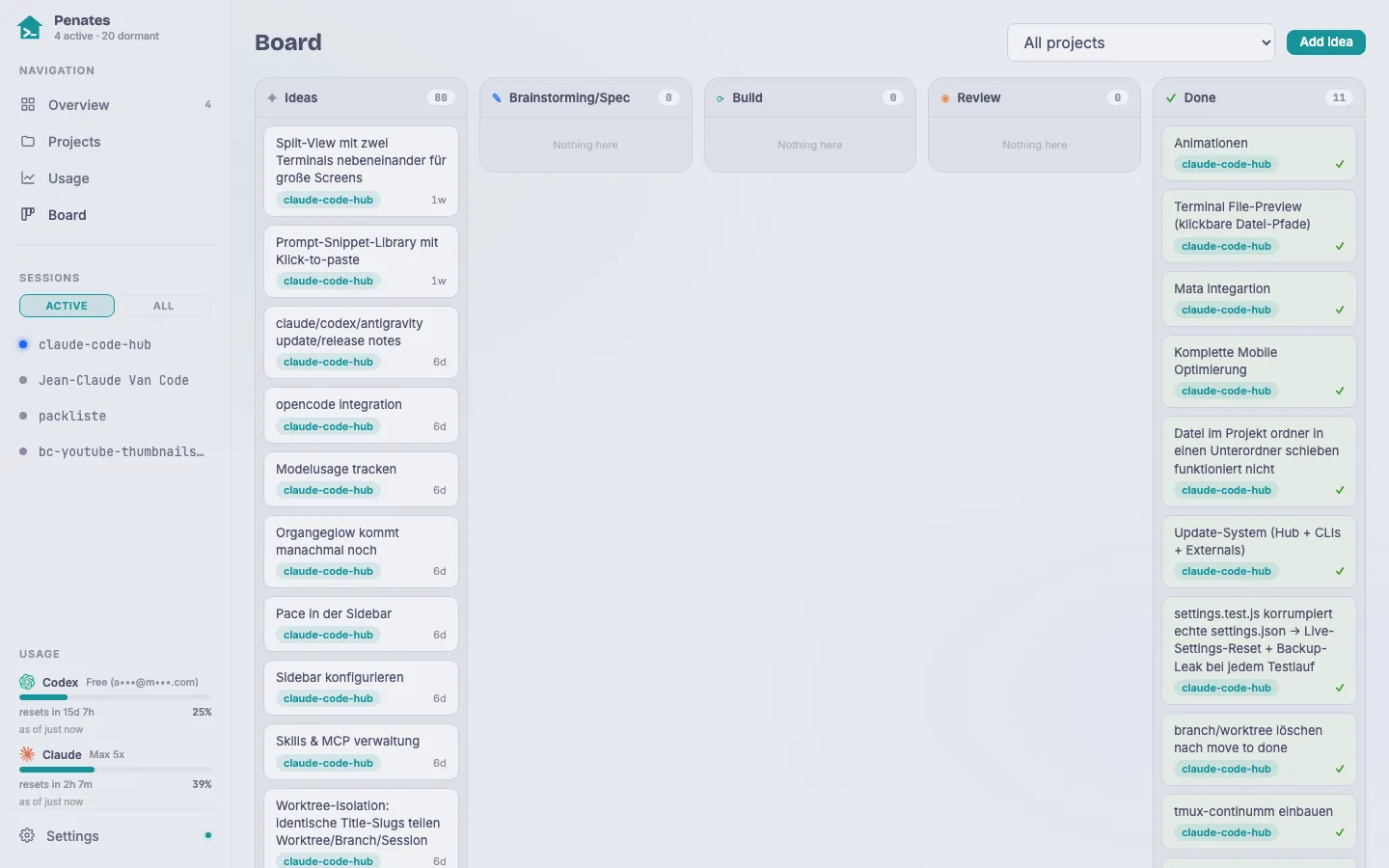
The Board is a global Kanban board: one card per idea, tracked through six stages (idea → brainstorming → spec → implement → review → done). Stage keys are stable English; the UI labels are localized. All project ideas live here; the per-project document (CHANGELOG.md) covers only what is shipped or actively in development.
Why / when to use it
The board turns an idea into shipped work in one place. Cards can spawn their own coding sessions, partly autonomously, without leaving the hub. The Review column shows the live branch↔base diff so you can inspect the work before merging.
How to use it
- Add a card: click + Add idea. Give it a title, pick a project and priority in the right-hand panel.
- Move a card: drag it to the next column to change its stage, or use the stage dropdown in the detail panel on mobile.
- Edit: the right-hand panel lets you edit the title, priority, and stage inline. Two-click delete removes a card.
- Project filter: the filter control at the top narrows the board to one project.
Autonomous pipeline phases:
- Brainstorm: clicking Brainstorm on an
ideacard spawns a brainstorm session primed with the card title and project context. - Implement: clicking Implement creates an isolated git worktree on an
idea/<slug>branch and starts a coding session inside it. - Review: the Review column shows the branch↔base diff directly in the hub so you can read the changes without leaving the browser.
- Finish: clicking Finish on a
reviewcard merges the branch, writes a changelog entry, and pushes. The worktree and branch are cleaned up automatically.
Moving a card to done (whether by drag, dropdown, or Finish) runs a cleanup step: it kills the linked running session, removes the worktree, and deletes the merged branch. Cards that have a branch, worktree, or session reference show a destructive-confirm dialog first; plain idea cards move silently.
Limits
If the project is no longer registered in the hub at cleanup time, the worktree and branch are left for the boot reconciliation to remove on the next start. Never hand-edit board.json directly. It is an atomic store; use the UI or API instead. Only one autonomous session per card runs at a time; starting a second spawns against the existing worktree.